
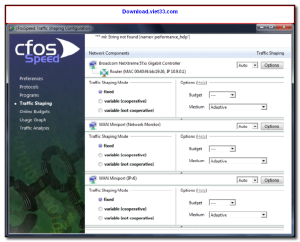
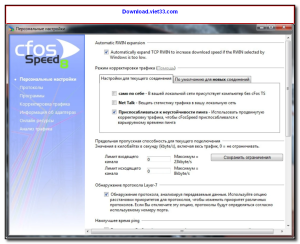
Download cFosSpeed and optimize your internet connection for lower ping, reduced lag, and better overall network performance. cFosSpeed is an advanced internet traffic shaping utility that intelligently prioritizes your network traffic — giving gaming, VoIP, and video streaming the bandwidth they need while suppressing background downloads and updates.
cFosSpeed works at the driver level, monitoring all incoming and outgoing network traffic and applying smart priority rules in real time. It continuously measures your actual internet speed and adapts its optimization algorithms accordingly, resulting in noticeable ping reductions for online gaming and smoother streaming.
Whether you’re a gamer looking to eliminate lag, a remote worker needing stable video calls, or someone who wants a more responsive internet experience overall, Download cFosSpeed delivers measurable improvements to your connection quality on Windows.
Key Features of cFosSpeed
- Intelligent traffic shaping that prioritizes gaming, VoIP, and streaming traffic
- Real-time ping reduction for online gaming with automatic optimization
- Works with all connection types including fiber, cable, DSL, and mobile
- Automatic speed calibration based on your actual connection measurements
- Detailed traffic statistics and real-time bandwidth usage monitor
- Protocol prioritization rules for fine-grained control over traffic management
- System tray widget showing live ping and speed graphs
How to Install cFosSpeed
- Click the download button below to get the cFosSpeed installer.
- Run the setup file and follow the on-screen installation wizard.
- Accept the license agreement and choose your installation directory.
- Launch cFosSpeed from your desktop or system tray.
- Enjoy using cFosSpeed!
Frequently Asked Questions about cFosSpeed
Is cFosSpeed free?
cFosSpeed offers a free trial period. Full features may require a paid license.
What are the system requirements for cFosSpeed?
Minimum requirements: Windows7,8,10,11. A modern PC with at least 2GB RAM is recommended.
What is the latest version of cFosSpeed?
The latest version is 13.10, updated on 14/01/2026.
Is cFosSpeed safe to download?
Yes. All software listed on download.viet33.com is sourced directly from the official developer and verified before publishing. No bundled adware or malware.
Does cFosSpeed work on Windows 11?
Yes, cFosSpeed is compatible with Windows7,8,10,11, including Windows 11.
 Download DesktopCalendar 2.3.108.5601
87 Downloads
Download DesktopCalendar 2.3.108.5601
87 Downloads
 Download Hard Disk Sentinel 6.40
73 Downloads
Download Hard Disk Sentinel 6.40
73 Downloads
 Download Windows 10
57 Downloads
Download Windows 10
57 Downloads
 Download Sound Booster 1.2
57 Downloads
Download Sound Booster 1.2
57 Downloads
 Download 3DP Chip 26.06
70 Downloads
Download 3DP Chip 26.06
70 Downloads


