
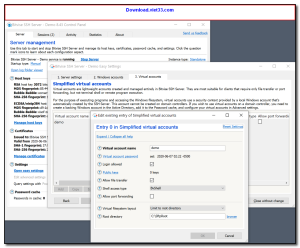
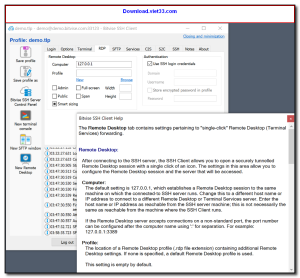
Bitvise SSH Client is a free, feature-rich SSH and SFTP client for Windows that provides secure remote access to servers and encrypted file transfers. It supports all modern SSH-2 authentication methods and offers a polished, easy-to-use interface that caters to both beginners and experienced system administrators.
Alongside its SSH terminal and SFTP file transfer capabilities, Bitvise includes powerful tunneling features for forwarding local or remote ports over an encrypted SSH connection. This makes it an excellent choice for securely accessing databases, web applications, and other services behind firewalls.
Free for personal and commercial use, Bitvise SSH Client is widely trusted by IT professionals worldwide for its reliability, security, and comprehensive feature set.
Key Features
- SSH-2 terminal for secure command-line access to remote servers
- Graphical SFTP client with drag-and-drop file transfer support
- Supports password, public key, GSSAPI, and keyboard-interactive authentication
- Local and remote port forwarding (SSH tunneling)
- Dynamic SOCKS proxy for secure web browsing through a remote server
- Saves multiple server profiles for quick reconnection
- Free for personal and commercial use on Windows
How to Install
- Click the download button above to get the Bitvise SSH Client installer.
- Run the setup file and follow the on-screen instructions to install.
- Launch Bitvise and enter your server’s hostname, port, and credentials.
- Click “Login” to establish a secure SSH connection.
- Use the terminal for command-line access or the SFTP window for file transfers.
Frequently Asked Questions about Bitvise SSH Client
Is Bitvise SSH Client free?
Bitvise SSH Client is completely free to download and use — no registration or payment required.
What are the system requirements for Bitvise SSH Client?
Minimum requirements: Windows7,8,10,11. A modern PC with at least 2GB RAM is recommended.
What is the latest version of Bitvise SSH Client?
The latest version is 9.54, updated on 25/12/2025.
Is Bitvise SSH Client safe to download?
Yes. All software listed on download.viet33.com is sourced directly from the official developer and verified before publishing. No bundled adware or malware.
Does Bitvise SSH Client work on Windows 11?
Yes, Bitvise SSH Client is compatible with Windows7,8,10,11, including Windows 11.
 Download DesktopCalendar 2.3.108.5601
87 Downloads
Download DesktopCalendar 2.3.108.5601
87 Downloads
 Download Hard Disk Sentinel 6.40
73 Downloads
Download Hard Disk Sentinel 6.40
73 Downloads
 Download Windows 10
57 Downloads
Download Windows 10
57 Downloads
 Download Sound Booster 1.2
57 Downloads
Download Sound Booster 1.2
57 Downloads
 Download 3DP Chip 26.06
70 Downloads
Download 3DP Chip 26.06
70 Downloads


