
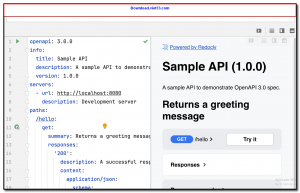
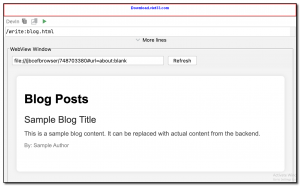
AutoDev is a free, open-source AI-powered coding assistant and development automation framework designed to accelerate the software development lifecycle. It integrates with popular IDEs to provide AI-driven code generation, automated testing, code review, and documentation writing directly within your development environment.
Unlike simple code completion tools, AutoDev understands the full context of your project — including architecture, dependencies, and coding conventions — to generate contextually appropriate code and tests. It supports multiple LLM backends including local models and cloud-based APIs, giving you flexibility over how and where AI processing occurs.
AutoDev is particularly well-suited for enterprise development teams looking to standardize coding practices and reduce repetitive tasks. It supports Java, Kotlin, Python, JavaScript, TypeScript, and other popular languages, and integrates seamlessly with IntelliJ IDEA and other JetBrains IDEs.
Key Features
- AI-powered code generation with full project context awareness
- Automated unit test generation for existing code
- AI code review with suggestions for improvements and best practices
- Automated documentation writing from code comments and structure
- Supports multiple LLM backends: local models and cloud APIs
- Integrates with IntelliJ IDEA and JetBrains IDEs
- Supports Java, Kotlin, Python, JavaScript, TypeScript, and more
How to Install
- Click the download button to get the AutoDev plugin or package.
- In IntelliJ IDEA, go to Settings > Plugins > Install Plugin from Disk and select the downloaded plugin file.
- Restart the IDE after installation to activate the plugin.
- Open AutoDev settings and configure your LLM backend (API key or local model endpoint).
- Open a project, right-click any code file, and use the AutoDev context menu to generate code, tests, or documentation.
Frequently Asked Questions about AutoDev
Is AutoDev free?
AutoDev is completely free to download and use — no registration or payment required.
What are the system requirements for AutoDev?
Minimum requirements: Windows7,8,10,11. A modern PC with at least 2GB RAM is recommended.
What is the latest version of AutoDev?
The latest version is 2.4.6, updated on 19/11/2025.
Is AutoDev safe to download?
Yes. All software listed on download.viet33.com is sourced directly from the official developer and verified before publishing. No bundled adware or malware.
Does AutoDev work on Windows 11?
Yes, AutoDev is compatible with Windows7,8,10,11, including Windows 11.
 Download Office Deployment Tool
58 Downloads
Download Office Deployment Tool
58 Downloads
 Download AutoIt
19755 Downloads
Download AutoIt
19755 Downloads
 Download Construct 2
19673 Downloads
Download Construct 2
19673 Downloads
 Download AEdiX Suite
20328 Downloads
Download AEdiX Suite
20328 Downloads
 Download UltraEdit
20055 Downloads
Download UltraEdit
20055 Downloads


