
autobrr is a free, open-source download automation tool designed for private torrent trackers. It monitors IRC announce channels and RSS feeds in real time and automatically sends matching releases to your torrent client the moment they are announced, letting you achieve fast grabs without manual intervention.
Unlike traditional RSS-based automation, autobrr connects directly to IRC announce channels, giving you near-instant notification of new releases — often within seconds of a torrent being posted. This speed advantage is critical on ratio-based private trackers where early downloads earn bonus upload credit.
autobrr supports a wide range of torrent clients including qBittorrent, Deluge, rTorrent, Transmission, and Sonarr/Radarr integration. Its filter system is powerful and flexible, allowing you to match releases by category, resolution, codec, year, size, and dozens of other criteria.
Key Features
- Real-time IRC announce monitoring for instant torrent grabs
- RSS feed support as an additional release source
- Powerful filter engine with dozens of match criteria
- Supports qBittorrent, Deluge, rTorrent, Transmission, Sonarr, Radarr, and more
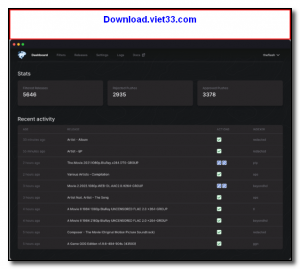
- Web-based dashboard for managing filters, indexers, and download history
- Notifications via Discord, Telegram, Notifiarr, and other services
- Runs as a lightweight background service on Linux, Windows, and macOS
How to Install
- Click the download button to get the autobrr binary for your platform.
- Extract the binary to a directory such as
/usr/local/bin/and make it executable. - Run autobrr for the first time to generate a default config file, then edit it to set your host, port, and database path.
- Create a systemd service (Linux) or run autobrr as a background process to keep it running persistently.
- Open the web UI at
http://localhost:7474, add your indexers and torrent client, then create filters to start automating downloads.
Frequently Asked Questions about autobrr
Is autobrr free?
autobrr is completely free to download and use — no registration or payment required.
What are the system requirements for autobrr?
Minimum requirements: Windows7,8,10,11. A modern PC with at least 2GB RAM is recommended.
What is the latest version of autobrr?
The latest version is 1.69, updated on 23/11/2025.
Is autobrr safe to download?
Yes. All software listed on download.viet33.com is sourced directly from the official developer and verified before publishing. No bundled adware or malware.
Does autobrr work on Windows 11?
Yes, autobrr is compatible with Windows7,8,10,11, including Windows 11.
 Download DesktopCalendar 2.3.108.5601
87 Downloads
Download DesktopCalendar 2.3.108.5601
87 Downloads
 Download Hard Disk Sentinel 6.40
73 Downloads
Download Hard Disk Sentinel 6.40
73 Downloads
 Download Windows 10
57 Downloads
Download Windows 10
57 Downloads
 Download Sound Booster 1.2
57 Downloads
Download Sound Booster 1.2
57 Downloads
 Download 3DP Chip 26.06
70 Downloads
Download 3DP Chip 26.06
70 Downloads


