
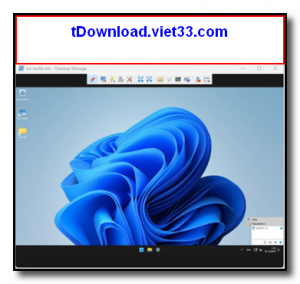
Aspia is a free, open-source remote desktop and administration tool for Windows that lets you control remote computers, transfer files, and manage systems over a network. Built with performance and security in mind, Aspia uses end-to-end encryption for all sessions, ensuring your remote connections remain private and protected from interception.
Unlike many remote desktop tools, Aspia is entirely self-hosted — there is no third-party relay server or cloud service involved. You run your own Aspia Router to manage connections, giving you complete control over your infrastructure and data. This makes it ideal for businesses, IT professionals, and privacy-conscious users who cannot rely on external services.
Aspia supports multiple simultaneous sessions, desktop sharing, audio redirection, clipboard synchronization, and a powerful file manager — all in a lightweight and responsive client that works even over slower network connections.
Key Features
- Full remote desktop control with smooth performance over LAN and WAN connections
- End-to-end encryption for all sessions using modern cryptographic protocols
- Self-hosted architecture — use your own Aspia Router with no third-party servers
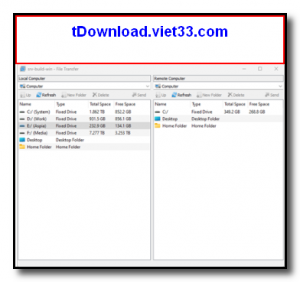
- Integrated file manager for bidirectional file transfer between host and client
- Audio redirection to hear remote computer sound on the local machine
- Clipboard synchronization between local and remote sessions
- Multi-session support and an address book for managing multiple remote hosts
How to Install
- Click the download button below to get the Aspia installer for Windows.
- Run the installer and choose whether to install the Console (client), Host (remote side), or Router.
- Install Aspia Host on each computer you want to remotely control and configure a username and password.
- Optionally, set up Aspia Router on a server for managing connections across different networks.
- Open Aspia Console on your local machine, add the remote host address, and connect using your credentials.
Frequently Asked Questions about Aspia – Free Self-Hosted Remote Desktop and Administration Tool
Is Aspia – Free Self-Hosted Remote Desktop and Administration Tool free?
Aspia – Free Self-Hosted Remote Desktop and Administration Tool is completely free to download and use — no registration or payment required.
What are the system requirements for Aspia – Free Self-Hosted Remote Desktop and Administration Tool?
Minimum requirements: Windows7,8,10,11. A modern PC with at least 2GB RAM is recommended.
What is the latest version of Aspia – Free Self-Hosted Remote Desktop and Administration Tool?
The latest version is 2.7.0, updated on 25/10/2025.
Is Aspia – Free Self-Hosted Remote Desktop and Administration Tool safe to download?
Yes. All software listed on download.viet33.com is sourced directly from the official developer and verified before publishing. No bundled adware or malware.
Does Aspia – Free Self-Hosted Remote Desktop and Administration Tool work on Windows 11?
Yes, Aspia – Free Self-Hosted Remote Desktop and Administration Tool is compatible with Windows7,8,10,11, including Windows 11.
 Download DesktopCalendar 2.3.108.5601
87 Downloads
Download DesktopCalendar 2.3.108.5601
87 Downloads
 Download Hard Disk Sentinel 6.40
73 Downloads
Download Hard Disk Sentinel 6.40
73 Downloads
 Download Windows 10
57 Downloads
Download Windows 10
57 Downloads
 Download Sound Booster 1.2
57 Downloads
Download Sound Booster 1.2
57 Downloads
 Download 3DP Chip 26.06
70 Downloads
Download 3DP Chip 26.06
70 Downloads


