
Ant Renamer is a free and easy-to-use batch file renaming utility for Windows. It lets you rename hundreds of files and folders at once using a wide variety of rules — from simple text replacement and sequential numbering to date/time stamps, MP3 tag reading, and EXIF data extraction from photos.
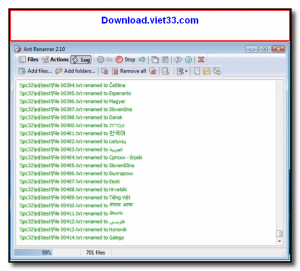
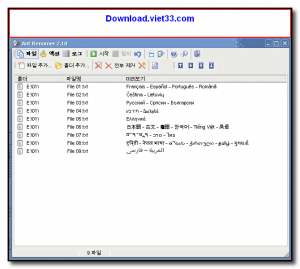
The program features a clean, straightforward interface where you add files or folders, define your renaming rules, preview the results before applying, and then execute the rename in one click. It supports undo so you can safely experiment without fear of making permanent mistakes.
Whether you are organizing a photo library, managing music files, or cleaning up a directory of documents, Ant Renamer makes bulk renaming fast, flexible, and foolproof.
Key Features
- Batch rename files and folders using multiple rule types simultaneously
- Rules include: text insertion/replacement, serial numbering, case conversion, and character deletion
- Rename from MP3 ID3 tags — perfect for organizing music collections
- Extract EXIF data (date, camera model) from JPEG photos for smart photo renaming
- Live preview of new filenames before applying any changes
- Undo support to reverse renames safely
- Completely free with no installation required (portable version available)
How to Install
- Click the download button below to get the Ant Renamer installer or portable version.
- Run the installer or extract the portable ZIP — no system changes required for the portable build.
- Launch Ant Renamer and add the files or folders you want to rename.
- Define your renaming rules in the Rules panel and click Preview to check the results.
- Click Go to apply all renames in one batch operation.
Frequently Asked Questions about Ant Renamer – Free Batch File Renaming Software
Is Ant Renamer – Free Batch File Renaming Software free?
Ant Renamer – Free Batch File Renaming Software is completely free to download and use — no registration or payment required.
What are the system requirements for Ant Renamer – Free Batch File Renaming Software?
Minimum requirements: Windows7,8,10,11. A modern PC with at least 2GB RAM is recommended.
What is the latest version of Ant Renamer – Free Batch File Renaming Software?
The latest version is 2.0, updated on 01/11/2025.
Is Ant Renamer – Free Batch File Renaming Software safe to download?
Yes. All software listed on download.viet33.com is sourced directly from the official developer and verified before publishing. No bundled adware or malware.
Does Ant Renamer – Free Batch File Renaming Software work on Windows 11?
Yes, Ant Renamer – Free Batch File Renaming Software is compatible with Windows7,8,10,11, including Windows 11.
 Download DesktopCalendar 2.3.108.5601
87 Downloads
Download DesktopCalendar 2.3.108.5601
87 Downloads
 Download Hard Disk Sentinel 6.40
73 Downloads
Download Hard Disk Sentinel 6.40
73 Downloads
 Download Windows 10
57 Downloads
Download Windows 10
57 Downloads
 Download Sound Booster 1.2
57 Downloads
Download Sound Booster 1.2
57 Downloads
 Download 3DP Chip 26.06
70 Downloads
Download 3DP Chip 26.06
70 Downloads


