
Looking to download KeePassXC? This guide walks you through everything it offers. KeePassXC is an offline password manager that stores every login, passkey, and secure note inside a single AES-256 encrypted database file you control. It grew out of the original KeePass Password Safe, rebuilt with a modern Qt interface and native support for macOS and Linux alongside Windows.
People who do not want their vault sitting on someone else’s server tend to land on it after a cloud password manager gets breached, or after they simply decide they would rather keep the file on their own drive and back it up wherever they like.
Key Features of KeePassXC
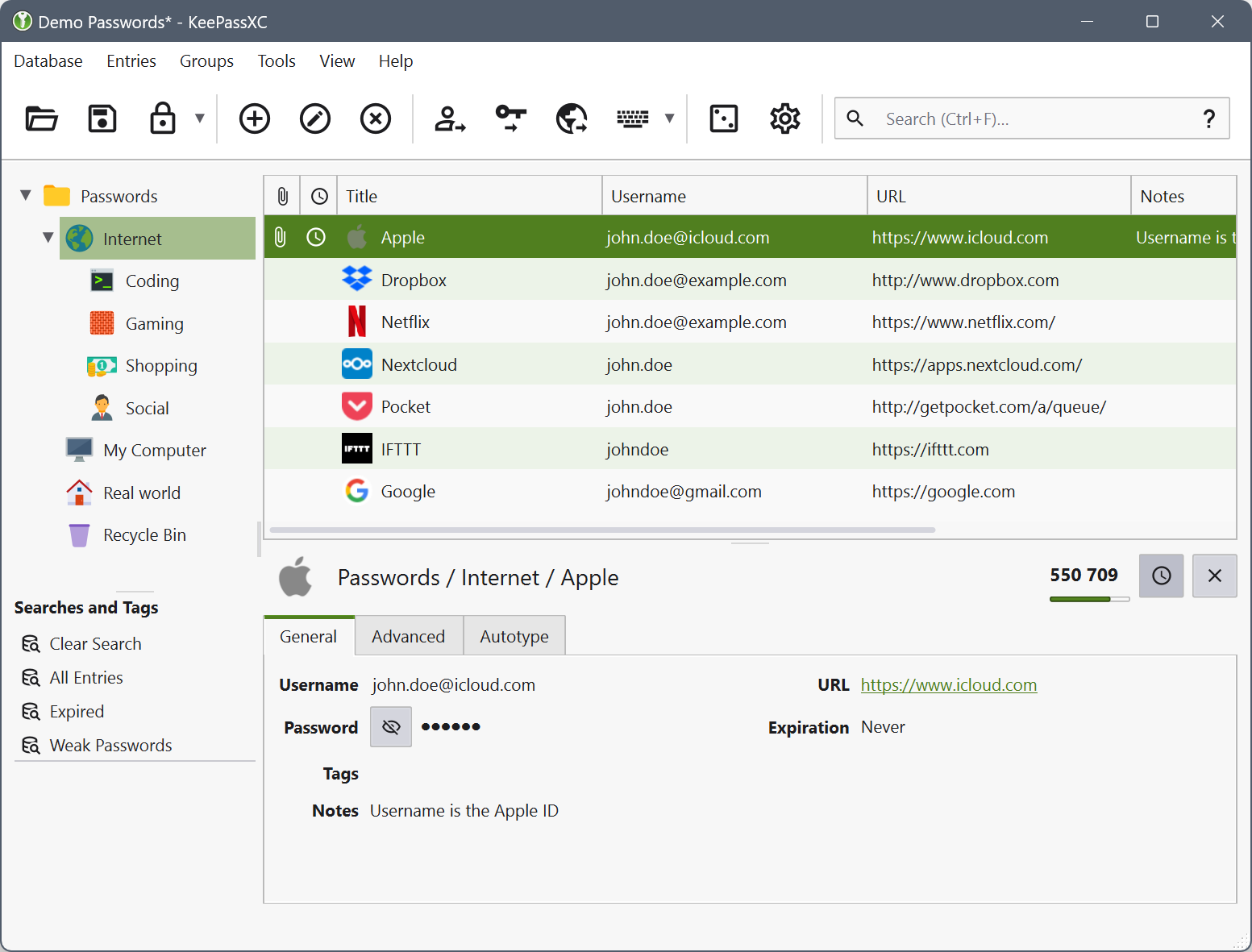
Once you download KeePassXC, here is what the database view gives you:
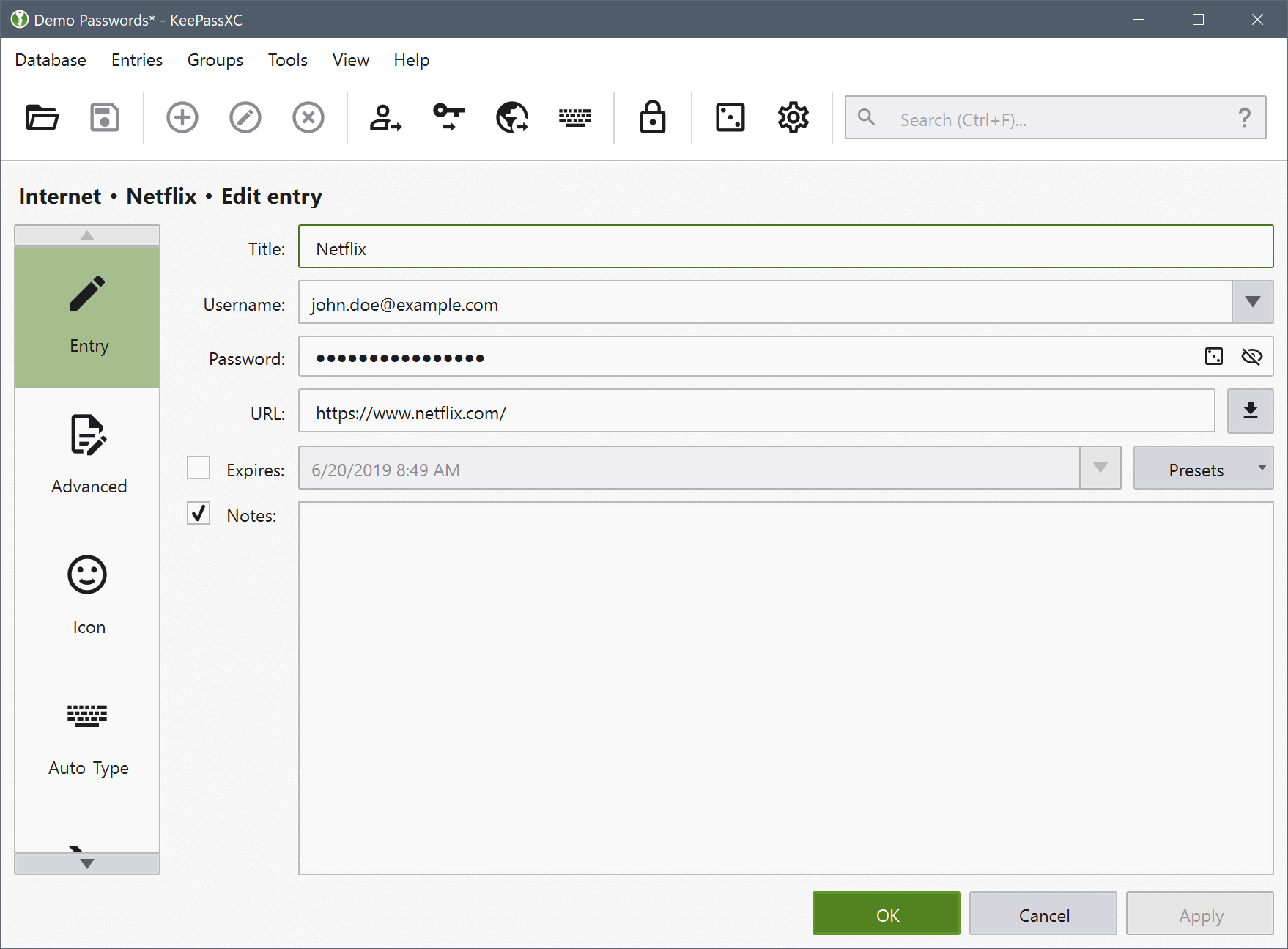
- Stores unlimited entries in one encrypted .kdbx file protected by a master password, key file, or both together.
- Built-in browser extension for Chrome, Firefox, and Edge auto-fills logins, and now shows matched URLs directly in a tooltip inside the access confirmation dialog.
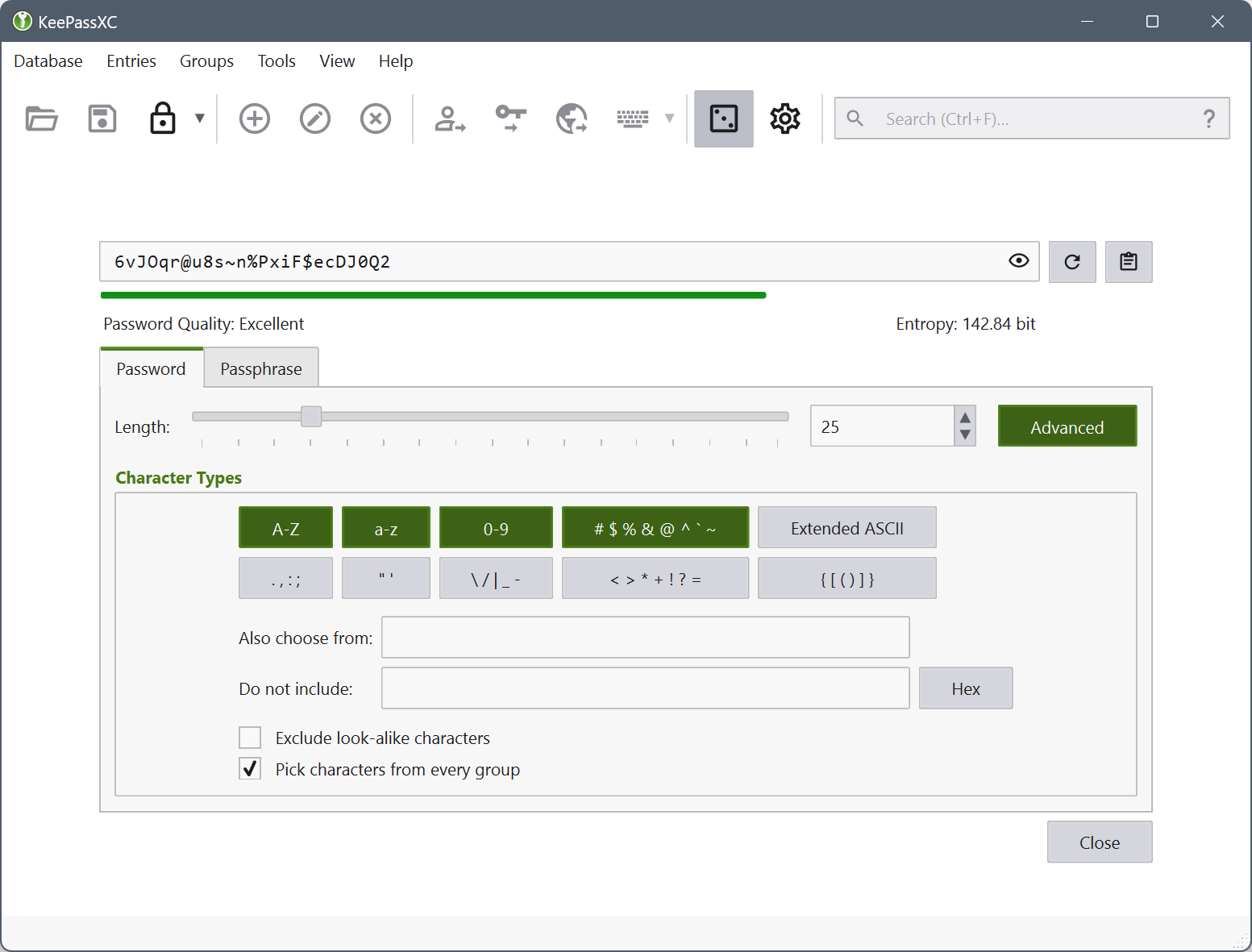
- Generates passwords and passphrases with adjustable length, character sets, and entropy estimates shown in bits.
- Acts as an SSH agent, so a single database can also hold the private keys used to log into remote servers.
- Passkey support lets KeePassXC register and sign in with FIDO2 credentials the same way a phone or security key would.
- TOTP fields display rotating two-factor codes next to each entry, and this release adds a TIMEOTP Auto-Type placeholder for typing them directly.
- Database health reports flag reused, weak, or expired passwords across every entry in one pass.
- Imports existing vaults from Bitwarden, including nested folder structures as of version 2.7.12, plus 1Password and Chrome CSV exports.
Screenshot / Demo
How to Install KeePassXC
Setting up KeePassXC on a Windows PC takes only a few minutes.
- Download the Windows installer from the official KeePassXC downloads page.
- Run the .msi file and follow the setup wizard’s default options.
- Launch KeePassXC and choose Create New Database to start your vault.
- Set a strong master password, and optionally a key file, to protect it.
- Install the browser extension separately if you want auto-fill support.
Enjoy using KeePassXC!
Frequently Asked Questions about KeePassXC 2.7.12
Is KeePassXC 2.7.12 free?
KeePassXC 2.7.12 is completely free to download and use — no registration or payment required.
What are the system requirements for KeePassXC 2.7.12?
Minimum requirements: Windows 7/10/11. A modern PC with at least 2GB RAM is recommended.
What is the latest version of KeePassXC 2.7.12?
The latest version is 2.7.12, updated on 17/08/2026.
Is KeePassXC 2.7.12 safe to download?
Yes. All software listed on download.viet33.com is sourced directly from the official developer and verified before publishing. No bundled adware or malware.
Does KeePassXC 2.7.12 work on Windows 11?
Yes, KeePassXC 2.7.12 is compatible with Windows 7/10/11, including Windows 11.
 Download UVK – Ultra Virus Killer
5933 Downloads
Download UVK – Ultra Virus Killer
5933 Downloads
 Download Moon Secure Antivirus – Free Lightweight Antivirus for Windows
8115 Downloads
Download Moon Secure Antivirus – Free Lightweight Antivirus for Windows
8115 Downloads
 Download ClamWin – Free and Open-Source Antivirus for Windows
9807 Downloads
Download ClamWin – Free and Open-Source Antivirus for Windows
9807 Downloads
 Download Waircut – WPS Wi-Fi Security Auditing Tool for Windows
9580 Downloads
Download Waircut – WPS Wi-Fi Security Auditing Tool for Windows
9580 Downloads
 Download Avast One – All-in-One Security, VPN, and Privacy Suite
9846 Downloads
Download Avast One – All-in-One Security, VPN, and Privacy Suite
9846 Downloads


