
AdGuard Home is a free, open-source network-wide ad blocking and privacy protection solution that functions as a DNS server for your entire home or office network. By routing all DNS queries through AdGuard Home, every device on your network — including smart TVs, gaming consoles, and IoT devices — benefits from ad and tracker blocking without needing any app or browser extension installed.
Unlike browser-based ad blockers, AdGuard Home works at the DNS level, blocking ads, malware domains, and tracking servers before they even connect. It provides detailed query logs and statistics showing exactly which domains each device on your network is accessing, giving you full visibility into your network traffic.
AdGuard Home supports DNS-over-HTTPS (DoH) and DNS-over-TLS (DoT) for encrypted DNS queries, adding an extra layer of privacy. It can be run on a Raspberry Pi, NAS, VPS, or any Linux/Windows/macOS machine and configured as the DNS server for your router.
Key Features
- Network-wide ad and tracker blocking at the DNS level for all devices
- Blocks malware, phishing, and adult content domains via filter lists
- DNS-over-HTTPS and DNS-over-TLS support for encrypted DNS
- Per-client rules and settings for fine-grained device control
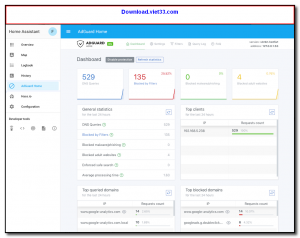
- Detailed query log and real-time statistics dashboard
- Custom DNS rewrites for local network hostnames
- Runs on Linux, Windows, macOS, Raspberry Pi, and Docker
How to Install
- Click the download button to get the AdGuard Home binary for your platform.
- Extract the archive and run the installer:
sudo ./AdGuardHome -s install - Open your browser and navigate to
http://your-server-ip:3000to complete the initial setup wizard. - Set a username and password, then choose the network interface and DNS port to listen on.
- Configure your router to use your AdGuard Home server’s IP address as its primary DNS server so all devices benefit automatically.
Frequently Asked Questions about AdGuard Home
Is AdGuard Home free?
AdGuard Home is completely free to download and use — no registration or payment required.
What are the system requirements for AdGuard Home?
Minimum requirements: Windows7,8,10,11. A modern PC with at least 2GB RAM is recommended.
What is the latest version of AdGuard Home?
Check the version info box at the top of this page for the current release.
Is AdGuard Home safe to download?
Yes. All software listed on download.viet33.com is sourced directly from the official developer and verified before publishing. No bundled adware or malware.
Does AdGuard Home work on Windows 11?
Yes, AdGuard Home is compatible with Windows7,8,10,11, including Windows 11.
 Download DesktopCalendar 2.3.108.5601
87 Downloads
Download DesktopCalendar 2.3.108.5601
87 Downloads
 Download Hard Disk Sentinel 6.40
73 Downloads
Download Hard Disk Sentinel 6.40
73 Downloads
 Download Windows 10
57 Downloads
Download Windows 10
57 Downloads
 Download Sound Booster 1.2
57 Downloads
Download Sound Booster 1.2
57 Downloads
 Download 3DP Chip 26.06
71 Downloads
Download 3DP Chip 26.06
71 Downloads


