
NetBird is a free, open-source WireGuard-based overlay network platform that makes it simple to connect devices across different networks securely, as if they were on the same local network. It automates the complex WireGuard configuration process and provides a centralized management interface for your peer-to-peer mesh network.
Unlike traditional VPNs that route all traffic through a central server, NetBird creates direct encrypted tunnels between peers using WireGuard, resulting in lower latency and higher throughput. When direct connections are not possible due to NAT or firewalls, NetBird automatically falls back to relayed connections.
NetBird includes an access control system, network policies, and user authentication via SSO providers like Google, Azure AD, and Okta, making it enterprise-ready. It can be self-hosted or used via the NetBird cloud service, and clients are available for Windows, macOS, Linux, iOS, and Android.
Key Features
- WireGuard-based encrypted peer-to-peer mesh networking
- Automatic NAT traversal with relay fallback
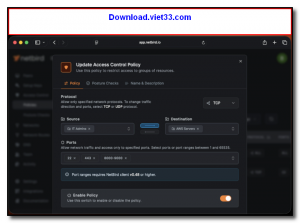
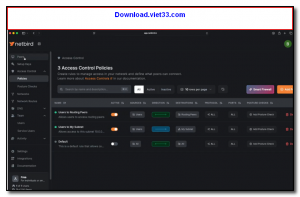
- Centralized management dashboard for devices and access policies
- SSO authentication via Google, Azure AD, Okta, and more
- Network access control with group-based policies
- Self-hostable or available as a managed cloud service
- Clients for Windows, macOS, Linux, iOS, and Android
How to Install
- Click the download button to get the NetBird client for your platform.
- Install the client using the provided installer or package manager instructions.
- Sign in with your NetBird account (or self-hosted management server) using your SSO credentials.
- Your device will appear in the NetBird dashboard and can be added to network groups and policies.
- Install the NetBird client on other devices to connect them to the same mesh network.
Frequently Asked Questions about NetBird
Is NetBird free?
NetBird is completely free to download and use — no registration or payment required.
What are the system requirements for NetBird?
Minimum requirements: Windows7,8,10,11. A modern PC with at least 2GB RAM is recommended.
What is the latest version of NetBird?
The latest version is 0.59.13, updated on 14/11/2025.
Is NetBird safe to download?
Yes. All software listed on download.viet33.com is sourced directly from the official developer and verified before publishing. No bundled adware or malware.
Does NetBird work on Windows 11?
Yes, NetBird is compatible with Windows7,8,10,11, including Windows 11.
 Download DesktopCalendar 2.3.108.5601
87 Downloads
Download DesktopCalendar 2.3.108.5601
87 Downloads
 Download Hard Disk Sentinel 6.40
73 Downloads
Download Hard Disk Sentinel 6.40
73 Downloads
 Download Windows 10
57 Downloads
Download Windows 10
57 Downloads
 Download Sound Booster 1.2
57 Downloads
Download Sound Booster 1.2
57 Downloads
 Download 3DP Chip 26.06
71 Downloads
Download 3DP Chip 26.06
71 Downloads


