
LWJGL (Lightweight Java Game Library) is a free, open-source Java library that provides bindings to native APIs for graphics, audio, and input — including OpenGL, Vulkan, OpenAL, and GLFW. It enables Java developers to build high-performance 3D games, game engines, and graphics applications with direct access to the GPU and system hardware.
LWJGL 3 is a complete rewrite designed around a modular architecture where you include only the bindings you need. It is the foundation of many popular Java-based game engines and frameworks, including the initial Minecraft codebase, and is widely used in academic and hobbyist game development.
With LWJGL you can leverage the full power of modern GPU APIs from Java, making it possible to write shaders, manage vertex buffers, and build real-time rendering pipelines in a JVM environment. It runs on Windows, macOS, and Linux and supports both 32-bit and 64-bit platforms.
Key Features
- Bindings for OpenGL, Vulkan, OpenGL ES, and GLSL for 3D graphics
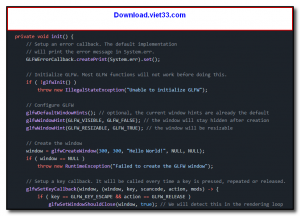
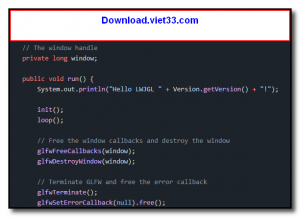
- GLFW integration for window creation, input handling, and context management
- OpenAL bindings for 3D spatial audio
- STB image, Nuklear UI, and other utility library bindings included
- Modular architecture — include only what your project needs
- Zero-overhead native access via direct memory buffers
- Cross-platform: Windows, macOS, and Linux (x64 and ARM)
How to Install
- Click the download button to get the LWJGL JAR files, or use the LWJGL Configurator on the official website to generate a Maven/Gradle dependency block.
- Add the LWJGL dependencies to your Maven
pom.xmlor Gradlebuild.gradlefile. - Include the native binaries for your target platform as runtime dependencies.
- Create a Java project and import LWJGL packages such as
org.lwjgl.opengl.*andorg.lwjgl.glfw.*. - Initialize a GLFW window and OpenGL context in your main class to start rendering.
Frequently Asked Questions about LWJGL
Is LWJGL free?
LWJGL is completely free to download and use — no registration or payment required.
What are the system requirements for LWJGL?
Minimum requirements: Windows7,8,10,11. A modern PC with at least 2GB RAM is recommended.
What is the latest version of LWJGL?
The latest version is 3.3.6, updated on 12/11/2025.
Is LWJGL safe to download?
Yes. All software listed on download.viet33.com is sourced directly from the official developer and verified before publishing. No bundled adware or malware.
Does LWJGL work on Windows 11?
Yes, LWJGL is compatible with Windows7,8,10,11, including Windows 11.
 Download Office Deployment Tool
58 Downloads
Download Office Deployment Tool
58 Downloads
 Download AutoIt
19755 Downloads
Download AutoIt
19755 Downloads
 Download Construct 2
19673 Downloads
Download Construct 2
19673 Downloads
 Download AEdiX Suite
20328 Downloads
Download AEdiX Suite
20328 Downloads
 Download UltraEdit
20055 Downloads
Download UltraEdit
20055 Downloads


