
Brightness Control is a free utility for Windows that lets you adjust the brightness of your monitor directly from the desktop, even on external displays that do not support hardware brightness adjustment through the operating system. It works by controlling the display’s DDC/CI interface, which is available on most modern monitors.
Windows typically only allows brightness adjustment on laptop screens through the built-in display settings. Brightness Control fills this gap by enabling per-monitor brightness control for desktop setups with external monitors, making it much easier to reduce eye strain in dark environments or boost brightness on a sunny day.
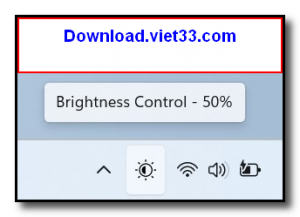
The tool is lightweight, portable, and sits in the system tray for quick access. You can control brightness using sliders, keyboard shortcuts, or by scrolling the mouse wheel over the tray icon, making brightness management effortless.
Key Features
- Adjusts brightness on external monitors via DDC/CI protocol
- Per-monitor brightness control for multi-display setups
- System tray integration with quick slider access
- Mouse scroll wheel support for fast brightness adjustment
- Configurable hotkeys for brightness up/down
- Lightweight and portable — no installation required
- Free for personal use on Windows
How to Install
- Click the download button to get the Brightness Control executable.
- No installation required — run the EXE directly.
- The Brightness Control icon will appear in your system tray.
- Click the tray icon to open the brightness slider for each connected monitor.
- Adjust the slider or use the scroll wheel over the tray icon to change brightness.
Frequently Asked Questions about Brightness Control
Is Brightness Control free?
Brightness Control is completely free to download and use — no registration or payment required.
What are the system requirements for Brightness Control?
Minimum requirements: Windows7,8,10,11. A modern PC with at least 2GB RAM is recommended.
What is the latest version of Brightness Control?
The latest version is 1.5.0, updated on 10/11/2025.
Is Brightness Control safe to download?
Yes. All software listed on download.viet33.com is sourced directly from the official developer and verified before publishing. No bundled adware or malware.
Does Brightness Control work on Windows 11?
Yes, Brightness Control is compatible with Windows7,8,10,11, including Windows 11.
 Download DesktopCalendar 2.3.108.5601
87 Downloads
Download DesktopCalendar 2.3.108.5601
87 Downloads
 Download Hard Disk Sentinel 6.40
73 Downloads
Download Hard Disk Sentinel 6.40
73 Downloads
 Download Windows 10
57 Downloads
Download Windows 10
57 Downloads
 Download Sound Booster 1.2
57 Downloads
Download Sound Booster 1.2
57 Downloads
 Download 3DP Chip 26.06
70 Downloads
Download 3DP Chip 26.06
70 Downloads


