
Adventure IDE is a free, lightweight integrated development environment designed to provide a clean and distraction-free coding experience for developers. It supports multiple programming languages with syntax highlighting and offers a straightforward interface that lets you focus on writing code without the complexity of heavyweight IDEs.
The IDE is designed with simplicity and speed in mind, making it an attractive option for developers who find tools like Visual Studio Code or Eclipse too resource-intensive. It loads quickly, uses minimal memory, and provides essential features like a project explorer, code editor, and integrated terminal.
Adventure IDE is suitable for students, hobbyists, and developers looking for a no-frills coding environment that works quickly on older or lower-spec hardware. It runs on Windows and provides a portable option that requires no installation.
Key Features
- Lightweight and fast IDE with minimal resource usage
- Syntax highlighting for multiple programming languages
- Project explorer for managing files and folders
- Integrated terminal for running commands and scripts
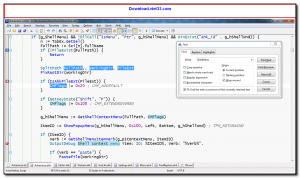
- Clean, distraction-free code editor interface
- Portable option requiring no installation
- Free for personal and educational use on Windows
How to Install
- Click the download button to get the Adventure IDE installer or portable archive.
- Run the installer or extract the archive to a folder of your choice.
- Launch Adventure IDE from the executable or Start Menu shortcut.
- Open an existing project folder or create a new file to start coding.
- Select your programming language from the editor menu to enable appropriate syntax highlighting.
Frequently Asked Questions about Adventure IDE
Is Adventure IDE free?
Adventure IDE is completely free to download and use — no registration or payment required.
What are the system requirements for Adventure IDE?
Minimum requirements: Windows7,8,10,11. A modern PC with at least 2GB RAM is recommended.
What is the latest version of Adventure IDE?
The latest version is 3.0.4, updated on 10/11/2025.
Is Adventure IDE safe to download?
Yes. All software listed on download.viet33.com is sourced directly from the official developer and verified before publishing. No bundled adware or malware.
Does Adventure IDE work on Windows 11?
Yes, Adventure IDE is compatible with Windows7,8,10,11, including Windows 11.
 Download Office Deployment Tool
58 Downloads
Download Office Deployment Tool
58 Downloads
 Download AutoIt
19755 Downloads
Download AutoIt
19755 Downloads
 Download Construct 2
19673 Downloads
Download Construct 2
19673 Downloads
 Download AEdiX Suite
20328 Downloads
Download AEdiX Suite
20328 Downloads
 Download UltraEdit
20055 Downloads
Download UltraEdit
20055 Downloads


