
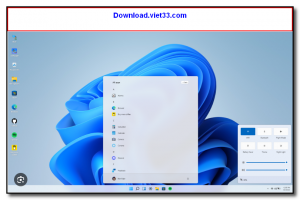
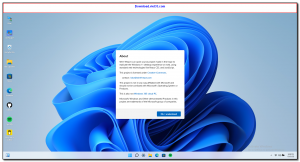
Win11 in React is an open-source project that recreates the Windows 11 desktop experience entirely inside a web browser using React.js. It faithfully simulates the Windows 11 UI including the Start Menu, taskbar, desktop icons, File Explorer, settings panel, and several built-in apps — all running client-side with no server required.
This project is ideal for developers who want to explore React component design patterns, students learning frontend development, or anyone who simply wants to experience a polished Windows 11 interface without installing the operating system. The codebase is clean, well-organized, and makes excellent use of modern React hooks and CSS styling techniques.
You can run it directly in your browser by visiting the live demo, or clone the repository and host your own instance. It is a great showcase of how far modern web technologies have come in replicating complex native UI experiences.
Key Features
- Fully interactive Windows 11 desktop UI built with React.js and modern CSS
- Working Start Menu, taskbar, search bar, and notification center simulation
- Functional File Explorer, Settings, and several built-in application windows
- Draggable, resizable windows with minimize, maximize, and close controls
- Light and dark mode support matching Windows 11 system themes
- No backend required — runs entirely in the browser as a static React app
- Open-source on GitHub, ideal for studying React component architecture
How to Install
- Click the download button below or clone the repository from GitHub.
- Navigate into the project directory and run
npm installto install dependencies. - Start the development server with
npm start— the app opens in your browser automatically. - To build for production, run
npm run buildand deploy the output folder to any static host. - Explore the component structure in the
src/folder to learn how each UI element is built.
Frequently Asked Questions about Win11 in React – Windows 11 Desktop Simulation in Your Browser
Is Win11 in React – Windows 11 Desktop Simulation in Your Browser free?
Win11 in React – Windows 11 Desktop Simulation in Your Browser is completely free to download and use — no registration or payment required.
What are the system requirements for Win11 in React – Windows 11 Desktop Simulation in Your Browser?
Minimum requirements: Windows7,8,10,11. A modern PC with at least 2GB RAM is recommended.
What is the latest version of Win11 in React – Windows 11 Desktop Simulation in Your Browser?
The latest version is 0.2.9, updated on 31/10/2025.
Is Win11 in React – Windows 11 Desktop Simulation in Your Browser safe to download?
Yes. All software listed on download.viet33.com is sourced directly from the official developer and verified before publishing. No bundled adware or malware.
Does Win11 in React – Windows 11 Desktop Simulation in Your Browser work on Windows 11?
Yes, Win11 in React – Windows 11 Desktop Simulation in Your Browser is compatible with Windows7,8,10,11, including Windows 11.
 Download DesktopCalendar 2.3.108.5601
87 Downloads
Download DesktopCalendar 2.3.108.5601
87 Downloads
 Download Hard Disk Sentinel 6.40
73 Downloads
Download Hard Disk Sentinel 6.40
73 Downloads
 Download Windows 10
57 Downloads
Download Windows 10
57 Downloads
 Download Sound Booster 1.2
57 Downloads
Download Sound Booster 1.2
57 Downloads
 Download 3DP Chip 26.06
71 Downloads
Download 3DP Chip 26.06
71 Downloads


