
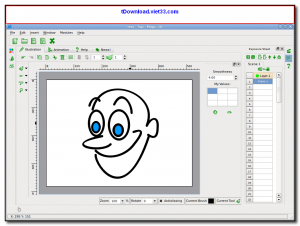
TupiTube Desk is a free, open-source 2D animation software designed to be accessible for beginners, students, and amateur animators. It provides a straightforward drawing and animation workspace where you can create cartoons, short films, and animated illustrations without needing professional training or expensive software.
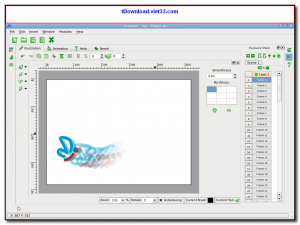
TupiTube features a classic frame-by-frame animation workflow with onion skinning support, allowing you to see ghost images of previous and next frames as you draw. Its simple vector and bitmap drawing tools, layer management, and timeline-based animation controls make it easy to produce smooth, engaging animations from scratch.
Available for Windows, Linux, and macOS, TupiTube Desk is widely used in schools and educational environments as an introduction to digital animation. It exports animations to video files for easy sharing on any platform.
Key Features
- Frame-by-frame 2D animation with an intuitive timeline and layer management system
- Vector and bitmap drawing tools including pencil, brush, shapes, and fill
- Onion skinning to view adjacent frames while drawing for smooth animation
- Scene management to organize complex animations into multiple scenes
- Export animations to video formats (AVI, MPEG) and animated GIF
- Import images and sounds to enrich your animations
- Cross-platform — available for Windows, Linux, and macOS
How to Install
- Click the download button below to get the TupiTube Desk installer for your platform.
- Run the installer and follow the on-screen setup steps to complete installation.
- Launch TupiTube Desk and create a new project by setting the canvas size and frame rate.
- Use the drawing tools to create your first frame, then advance to the next frame and draw the next position.
- When your animation is complete, export it via File > Export to save as a video file.
Frequently Asked Questions about TupiTube Desk – Free 2D Animation Software for Beginners
Is TupiTube Desk – Free 2D Animation Software for Beginners free?
TupiTube Desk – Free 2D Animation Software for Beginners is completely free to download and use — no registration or payment required.
What are the system requirements for TupiTube Desk – Free 2D Animation Software for Beginners?
Minimum requirements: Windows7,8,10,11. A modern PC with at least 2GB RAM is recommended.
What is the latest version of TupiTube Desk – Free 2D Animation Software for Beginners?
The latest version is 0.2.23, updated on 21/10/2025.
Is TupiTube Desk – Free 2D Animation Software for Beginners safe to download?
Yes. All software listed on download.viet33.com is sourced directly from the official developer and verified before publishing. No bundled adware or malware.
Does TupiTube Desk – Free 2D Animation Software for Beginners work on Windows 11?
Yes, TupiTube Desk – Free 2D Animation Software for Beginners is compatible with Windows7,8,10,11, including Windows 11.
 Download DesktopCalendar 2.3.108.5601
87 Downloads
Download DesktopCalendar 2.3.108.5601
87 Downloads
 Download Hard Disk Sentinel 6.40
73 Downloads
Download Hard Disk Sentinel 6.40
73 Downloads
 Download Windows 10
57 Downloads
Download Windows 10
57 Downloads
 Download Sound Booster 1.2
57 Downloads
Download Sound Booster 1.2
57 Downloads
 Download 3DP Chip 26.06
71 Downloads
Download 3DP Chip 26.06
71 Downloads


