
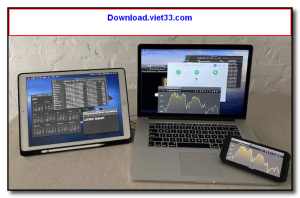
Deskreen is a free, open-source desktop screen sharing tool that turns any device with a web browser — a tablet, smartphone, old laptop, or smart TV — into a secondary monitor for your computer. It works over your local WiFi network with no additional hardware, cables, or accounts required.
Simply run Deskreen on your main computer, open the generated URL in a browser on your secondary device, and your desktop or a specific application window will appear on that screen. The connection is end-to-end encrypted using WebRTC, ensuring your screen content stays secure on your local network.
Deskreen is perfect for extending your workspace using devices you already own — you can display a reference document on your tablet while working on your main monitor, or stream your desktop to a TV for a presentation. It is lightweight, setup-free, and works with virtually any modern browser.
Key Features
- Turns any browser-equipped device into a secondary screen over local WiFi
- Share your entire desktop or a single application window to the remote screen
- End-to-end encrypted via WebRTC — screen content stays on your local network
- No accounts, cables, or additional hardware required
- Works with any modern browser on tablets, phones, laptops, and smart TVs
- Low-latency streaming for a smooth secondary monitor experience
- Free and open-source, available for Windows, macOS, and Linux
How to Install
- Click the download button below to get the Deskreen installer for your operating system.
- Run the installer on your primary computer (the one you want to extend).
- Launch Deskreen — it generates a URL and QR code for your secondary device.
- On your secondary device, open the URL in any modern browser (Chrome, Firefox, Safari).
- Accept the connection request in Deskreen and choose to share your full desktop or a specific window.
Frequently Asked Questions about Deskreen – Turn Any Device into a Secondary Monitor Over WiFi
Is Deskreen – Turn Any Device into a Secondary Monitor Over WiFi free?
Deskreen – Turn Any Device into a Secondary Monitor Over WiFi is completely free to download and use — no registration or payment required.
What are the system requirements for Deskreen – Turn Any Device into a Secondary Monitor Over WiFi?
Minimum requirements: Windows7,8,10,11. A modern PC with at least 2GB RAM is recommended.
What is the latest version of Deskreen – Turn Any Device into a Secondary Monitor Over WiFi?
The latest version is 2.0.4, updated on 14/10/2025.
Is Deskreen – Turn Any Device into a Secondary Monitor Over WiFi safe to download?
Yes. All software listed on download.viet33.com is sourced directly from the official developer and verified before publishing. No bundled adware or malware.
Does Deskreen – Turn Any Device into a Secondary Monitor Over WiFi work on Windows 11?
Yes, Deskreen – Turn Any Device into a Secondary Monitor Over WiFi is compatible with Windows7,8,10,11, including Windows 11.
 Download DesktopCalendar 2.3.108.5601
87 Downloads
Download DesktopCalendar 2.3.108.5601
87 Downloads
 Download Hard Disk Sentinel 6.40
73 Downloads
Download Hard Disk Sentinel 6.40
73 Downloads
 Download Windows 10
57 Downloads
Download Windows 10
57 Downloads
 Download Sound Booster 1.2
57 Downloads
Download Sound Booster 1.2
57 Downloads
 Download 3DP Chip 26.06
70 Downloads
Download 3DP Chip 26.06
70 Downloads


